
It's important to make sure your banking balances before closing the batch so you know you have an accurate financial record.
Step 1 – Review and Print Banking Report
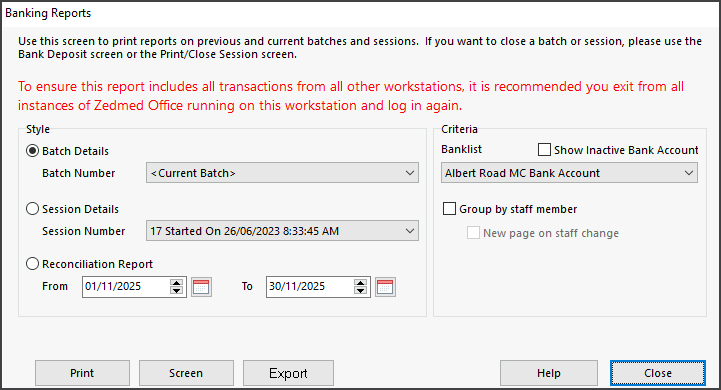
- Go to Reception > Banking > BankingReports.
- Choose the Banklist.
- Select the Screen button.
- Print the report.
- Compare EFTPOS receipts with the report.
Fix any errors before closing the batch.
Step 2 – Print the deposit sheet and Close the batch
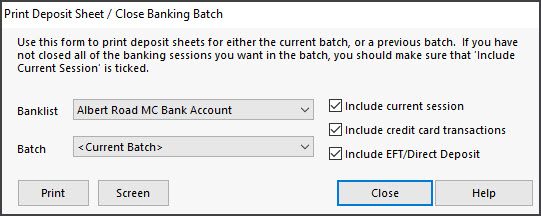
- Go to Reception > Banking > Print deposit sheet / Close batch.
- Select Screen.
- You will be prompted to Close the batch, Select OK.
Step 3 – Repeat Steps 1 and 2 for the remaining Banklists.